RamTV
RamTV  XazTube
 Player
Playback behaviour, queues and what listeners can do
RKHM player can play more than audio files
Supported sources:
- Local or remote audio files. HLS supported
- Local or remote video files. HLS supported
- YouTube embedded player
- SoundCloud embedded player
A single item can have multiple sources with same or different types. Users can choose which one to play according to their access
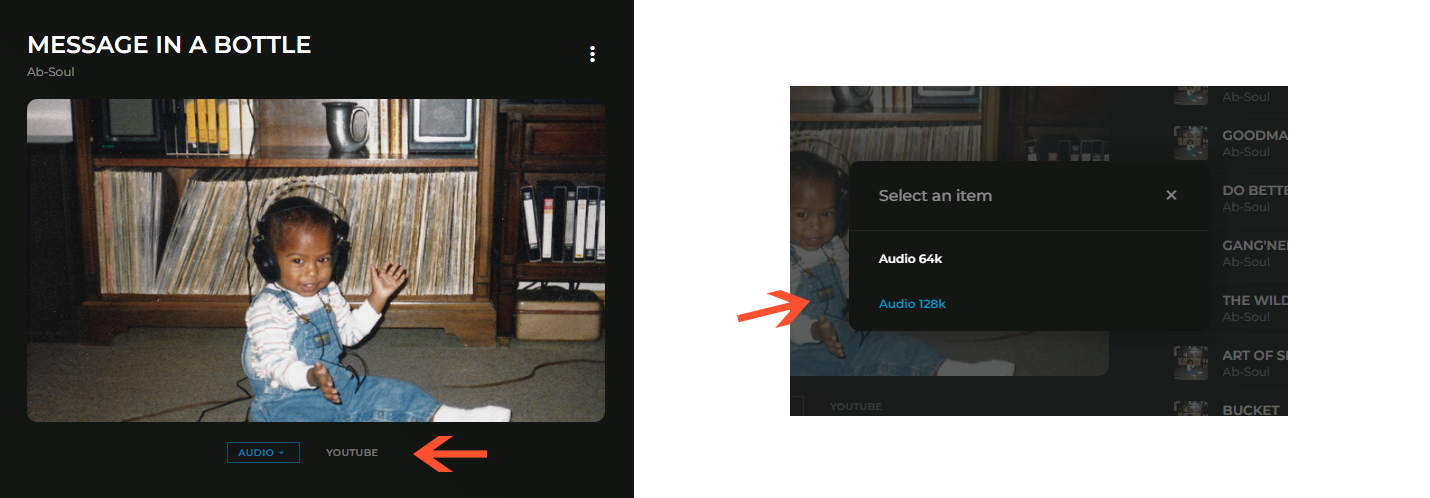
If user attempts to play an item or source that they don't have access to, a pop-up will appear, suggesting purchasing the item directly or purchasing a subscription plan which gives access to that item
How to create sources
We'll cover creating "music" sources. Podcast, radio & audiobook have similar functionality
First you need to add items. Add an artist, album, track. Then go to "RKHM admin-area -> Content -> Music -> List Sources" and click on "+ new item". Choose a target and select a type
Each type has extra inputs
For audio & video, you either have to enter the remote URL or upload a file
For YouTube, you have to enter YouTube ID which can easily be found in video's URL

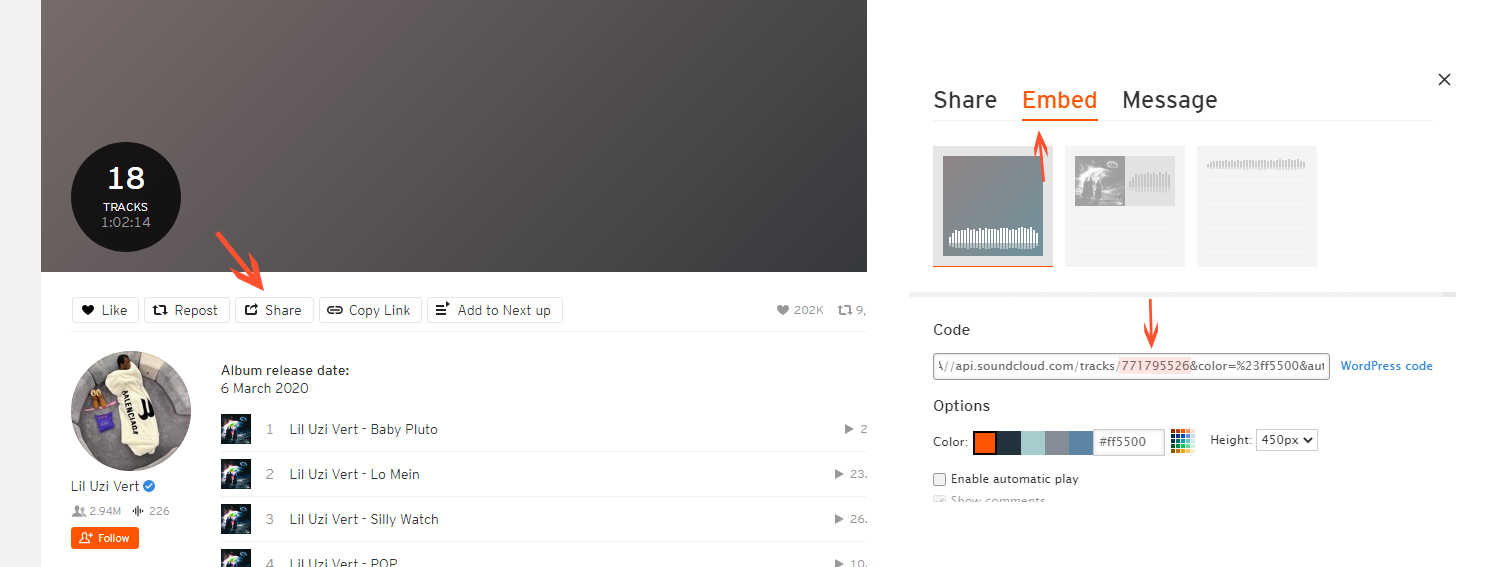
Getting SoundCloud embed ID is challenging. The item-ID ( presented in URL like YouTube ) differs from embed ID. You need to pass embed ID to script. To get it, go to SoundCloud and find your track, click on share, click on embed tab, find the ID within embed HTML code