
 RamTV
RamTV  XazTube
 Mobile gestures
The touch vocabulary the client understands
In RKHM version 2.0.50, we transitioned from touchSwipe.js to Hammer.js. Mobile gestures, previously existing but not functioning optimally, have been completely reworked. Adjustments to the behavior of some of these gestures can be made in 'Admin -> Setting -> Setting -> Touch & Mouse'.
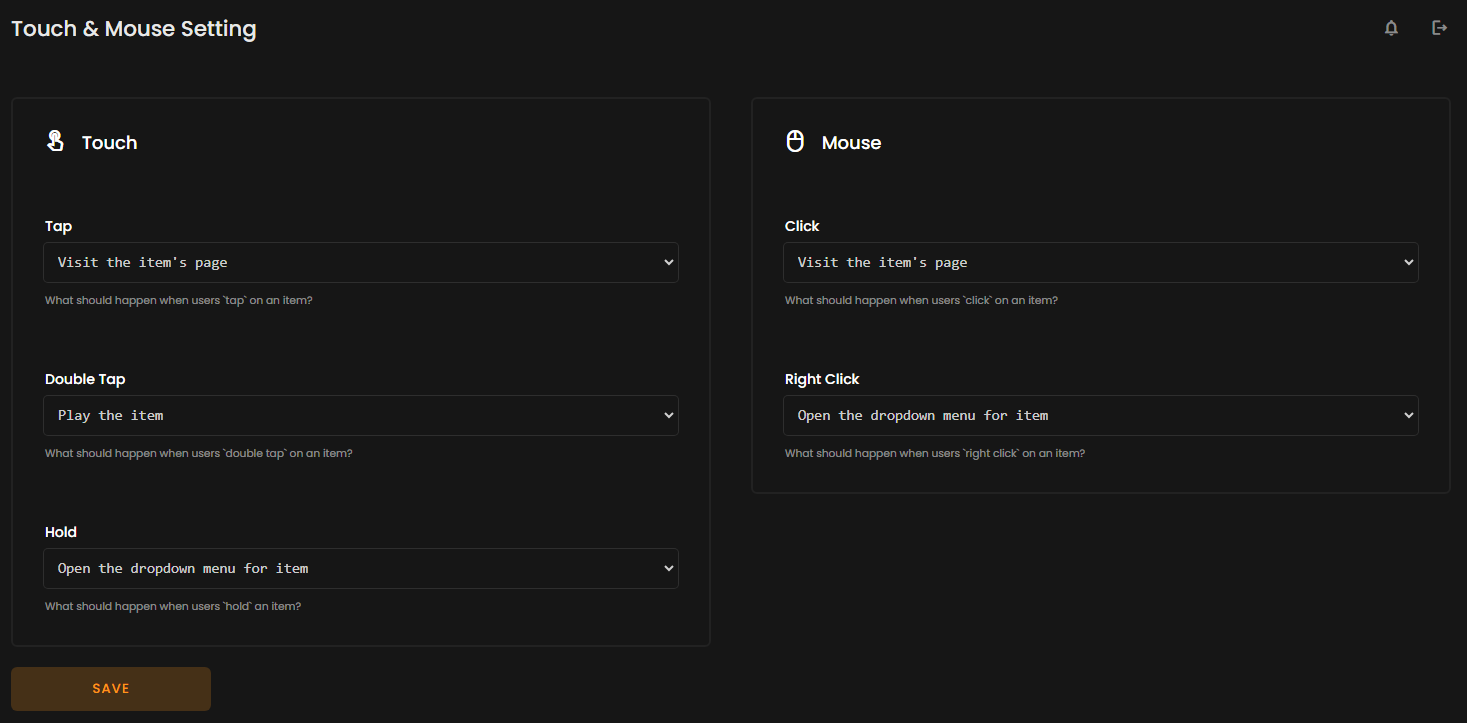
Holding an item:
If users maintain a hold on an item for 550 milliseconds (slightly over half a second), the dropdown menu will open. This duration can be customized in the Touch & Mouse settings.
Tapping an item:
When users tap an item, they will be directed to the dedicated page for that item. Configuration options for this can be found in the Touch & Mouse settings.
Double tapping an item:
Upon users executing a double tap on an item, and if the item has a playable source, it will initiate playback. Settings for this action can be modified in the Touch & Mouse settings.
Swiping player:
Users can hold and swipe the player upwards, to the right, or to the left. A top swipe reveals the queue and preview, a right swipe plays the next track, and a left swipe plays the previous track.
Swiping dropdown:
By holding and swiping the dropdown menu, users can either expand it further or close it, depending on the direction of the swipe.