RamTV
RamTV  XazTube
 Installation
Installation - Database
Create the database and hand the installer its credentials
Prepare the database
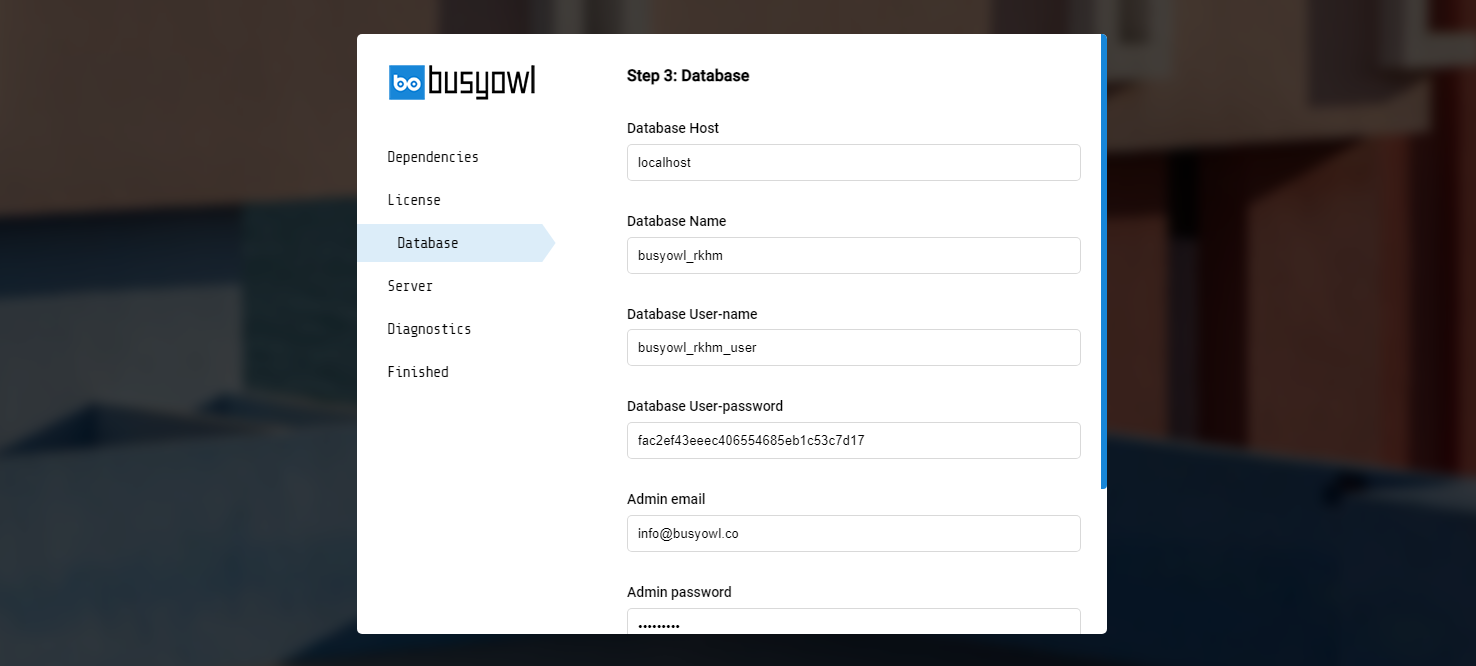
Create a new mysql database, create a new mysql user, make sure mysql user has full access to created database then pass required information to installer.
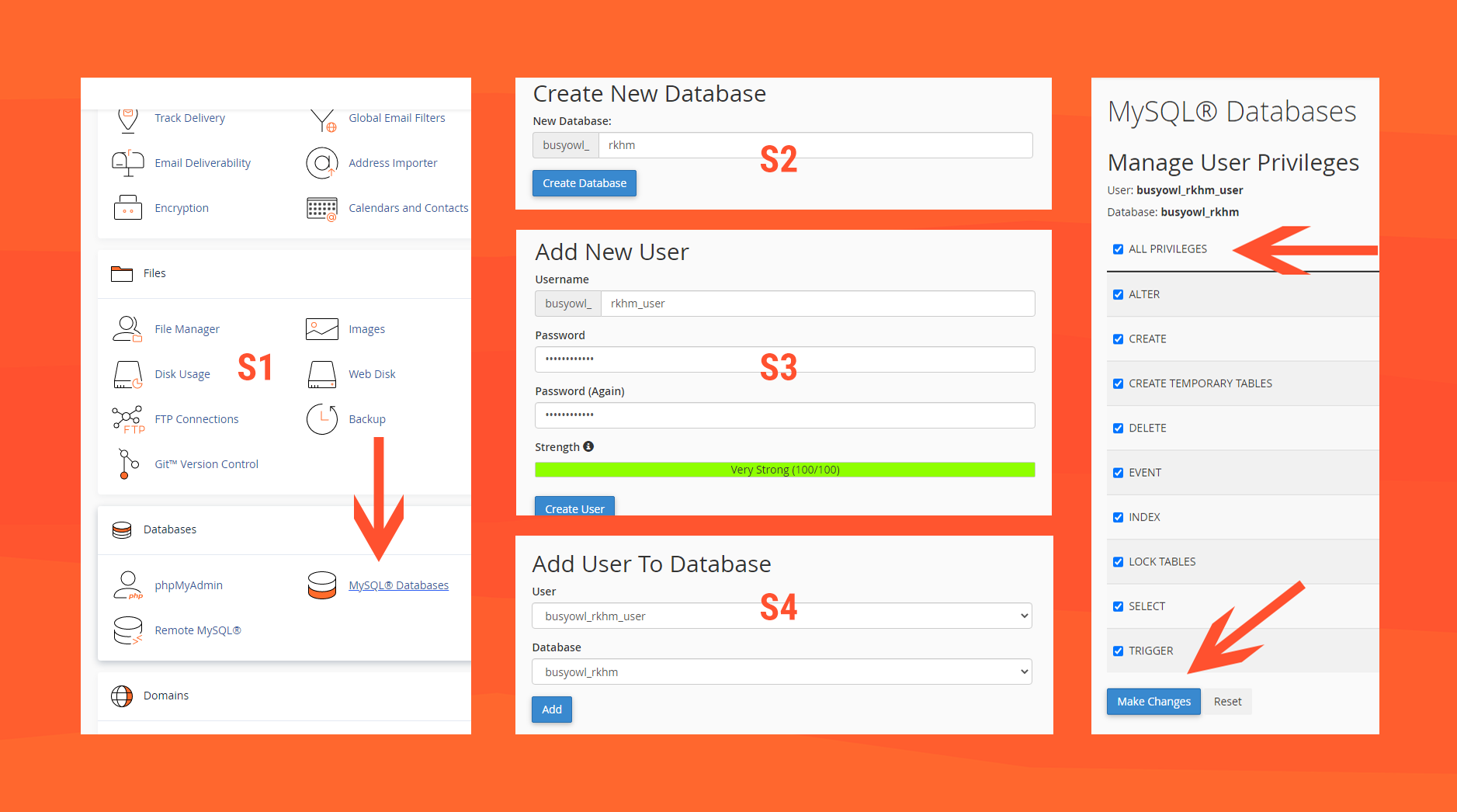
cPanel guide
- S1: Head to your website's cPanel and login. Find and click on MySQL Databases
- S2: In the new page, find "Create New Database", choose a name and create a database with it
- S3: Go back to MySQL Databases page, find "Add New User", choose a username & password and create a new user with it
- S4: Go back to MySQL Databases page, find "Add User To Database", select created user & database and click on "Add"
- S5: In the new page, click on "ALL PRIVILEGES" then click on "Make Changes"