
 RamTV
RamTV  XazTube
 FFmpeg
Demos, waveforms and transcoding — static build included
What is FFmpeg?
FFmpeg is a powerful and open-source software suite designed for handling multimedia data. The name "FFmpeg" stands for "Fast Forward MPEG," indicating its initial focus on MPEG formats. However, over time, FFmpeg has evolved into a comprehensive multimedia framework capable of decoding, encoding, transcoding, and streaming a wide range of audio and video formats.
Do I need FFmpeg?
RKHM is fully functional without FFmpeg, but with FFmpeg you can:
1. Accept non-mp3 & non-mp4 files
2. Convert files to lower qualitites
3. HLS-encrypt files
4. Create waveform
5. Convert downloaded videos from YouTube/etc to audio
and more
How do I enable FFmpeg?
There are 2 options:
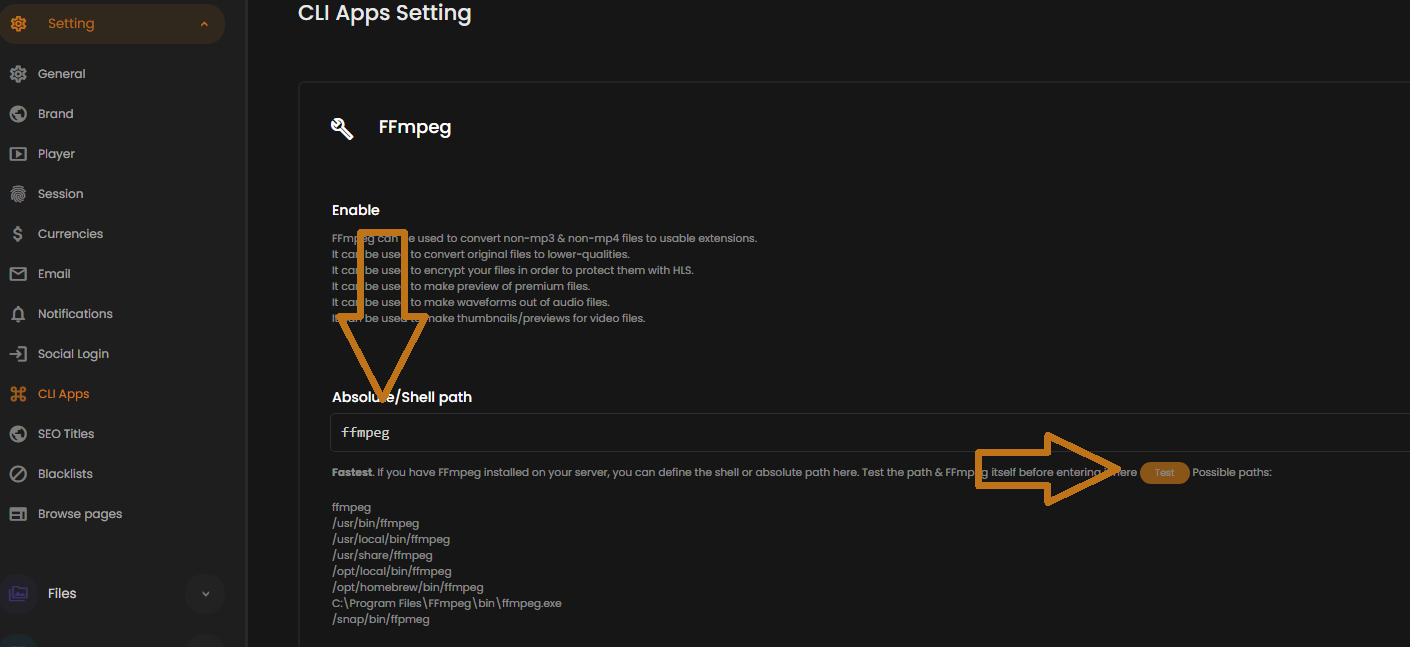
- Install FFmpeg on your server: Recommended. Install FFmpeg on your server. Test it and make sure everything works. Then pass the FFmpeg path to RKHM in `Admin -> Setting -> CLI-apps -> FFmpeg`
- Use static-build of FFmpeg already included in RKHM. You can enable it in `Admin -> Setting -> CLI-apps -> FFmpeg`. There is no guarantee that static-build works on your server
How do I know FFmpeg is working?
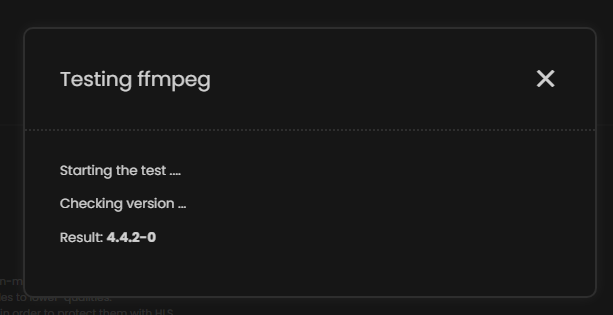
In `Admin -> Setting -> CLI-apps -> FFmpeg`, there are test buttons for both official & static-build of FFmpeg. Use them
How do I NOT use FFmpeg?
By default, script is configured to work without FFmpeg. If you have enabled FFmpeg by mistake and want to disable it, make sure to:
- Visit `Admin -> Setting -> CLI-apps -> FFmpeg` and disable it
- Visit `Admin -> Setting -> Files -> Upload setting` and disable all FFmpeg-dependent features