
 RamTV
RamTV  XazTube
 Installation - Server
Cronjob, .htaccess files and timezone
In this step, script will check cronjob status, .htaccess files & timezone. You have to setup a cronjob and make sure all .htaccess files are uploaded
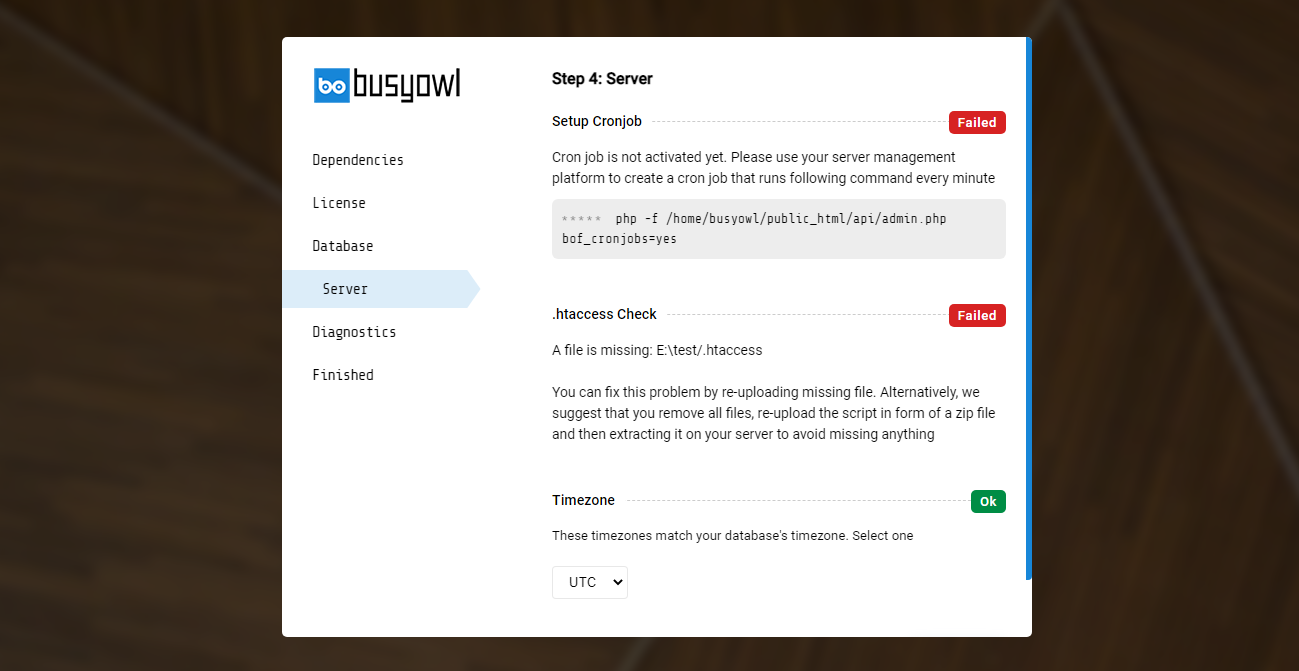
Cronjob
Cronjob allows RKHM to execute specific tasks in background and on a schedule. Database optimization, file cleaning, file-background-processing, many automation methods and etc depend on cronjob to be executed. Script can't function long-term without cronjobs
Cronjob common issues
PHP might not be accessible with the php -f command in some setups. Try replacing it with common absolute paths such as /usr/local/bin/php or /usr/bin/php . For example change command from "php -f /path_to_rkhm/api/admin.php bof_cronjobs=yes" to "/usr/local/bin/php -f /path_to_rkhm/api/admin.php bof_cronjobs=yes" and try again
How to setup cronjob in cPanel
- Head to your website's cPanel and login. Find and click on Cron Jobs
- In the new page, choose "Once Per Minute" as "Common settings"
- Enter php -f /path_to_rkhm/api/admin.php bof_cronjobs=yes ( not this string, copy the command from installer ) in command input
- Click on "Add new cron job"
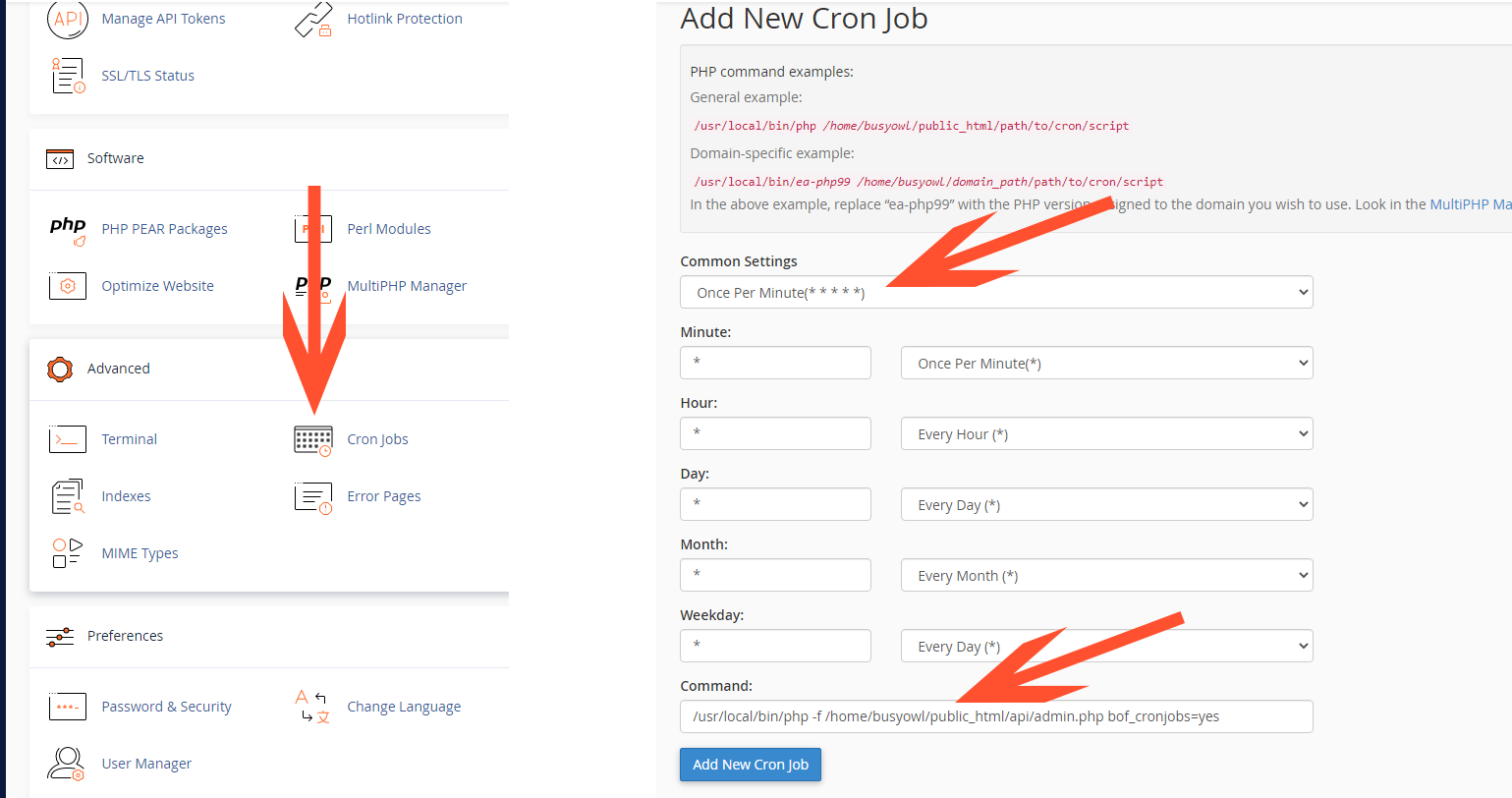
Some hosting providers, like OVH do not accept parameters along with php file path. In those cases, instead of passing /path_to_rkhm/api/admin.php bof_cronjobs=yes you may just pass /path_to_rkhm/api/app/admin/cronjob.php
.htaccess
Configuration files used by apache-based web servers to handle requests. Without them script can't function and all requests will likely get 404 response. Installer will check all .htccess files and stop the installer if any is missing. In case of error, note that all .htaccess files are included in the zip file you downloaded from Codecanyon but you have probably missed them during zipping script files. Make sure you find and reupload these files and try again