
 RamTV
RamTV  XazTube
 YouTube Piped
We added Piped by TeamPiped support in v2.0.59 of RKHM. Piped is an alternative front-end for YouTube designed to provide a privacy-friendly and ad-free viewing experience. It acts as a proxy server, fetching YouTube content on behalf of the user, thereby preventing YouTube from tracking user activity and serving ads.
How It Enhances RKHM
Integrating Piped into RKHM enhances the CMS by:
- Privacy: Users' activities are not tracked by YouTube, ensuring a higher level of privacy.
- No YouTube Branding: Videos are played without the YouTube logo, providing a cleaner viewing experience.
- Background Play: Enables background playback even when the screen is off, improving the user experience for music streaming.
- Small sized audio-only streams without any download/convert. No FFmpeg required.
Downside of Using Piped
The primary downside is the extra cURL requests to the Piped instance URL to retrieve stream URLs, which may slightly increase the load time.
Publicly available instances can be easily selected in admin-area, but they can be unreliable sometimes. They might fail to return any result or return a broken stream URL
You should host the piped yourself for better performance
Disclaimer
Users are advised to conduct their own research and ensure compliance with all applicable laws and regulations before using this feature.
How to Enable YouTube Piped
To enable and configure YouTube Piped in your music CMS, follow these steps:
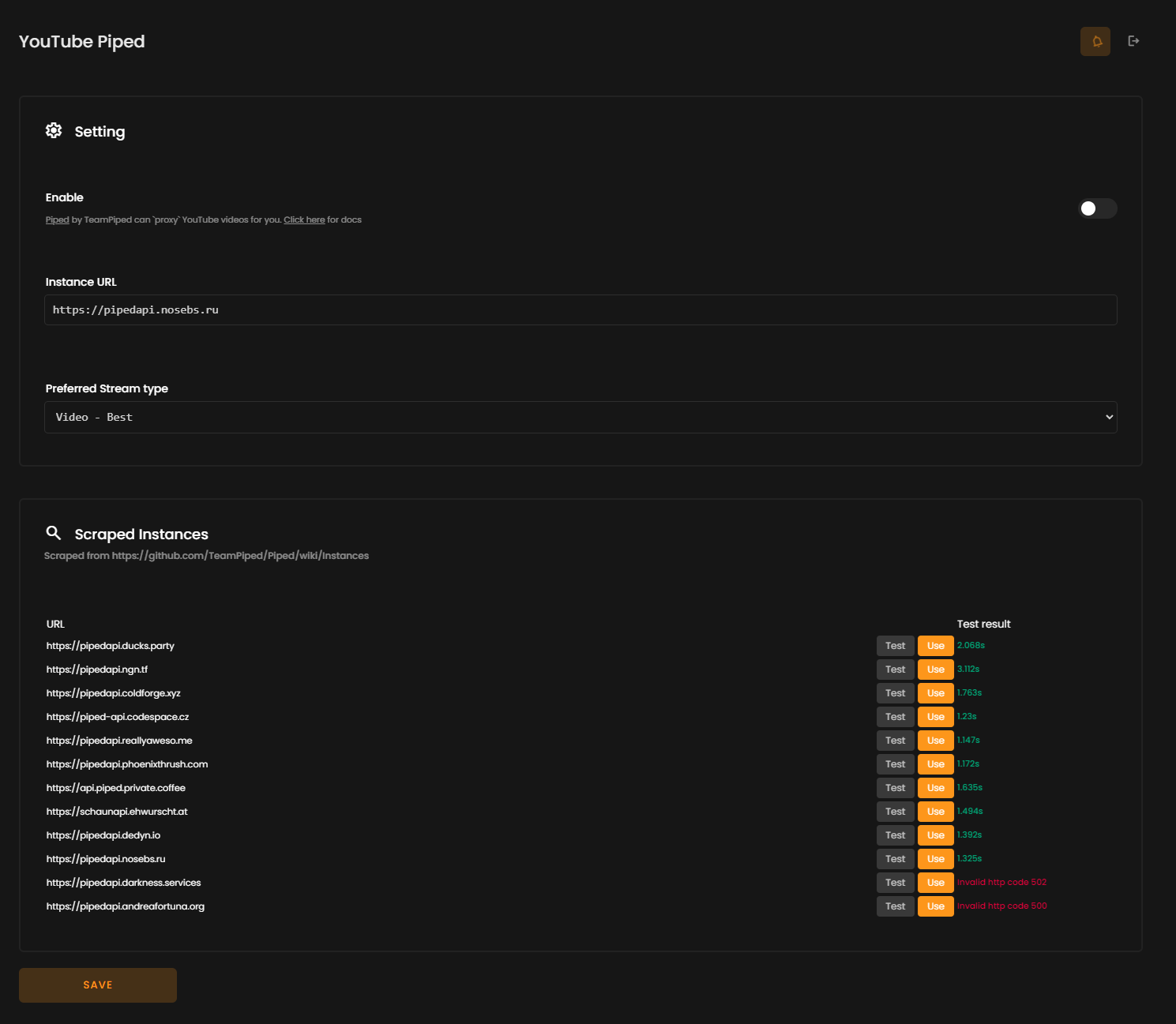
- Visit `Admin -> Setting -> Setting -> YouTube Piped` and enable the feature
- You can see a list of public instances. You can test their availability and speed then decide which one to use.
- Alternatively, you can enter a custom instance
- Choose a preferred stream type: Audio or video
Request Handling Methods ( v2.0.61 )
- Server: The CMS backend handles requests, contacting all listed instances to retrieve the desired stream type (audio/video). If all instances fail, the system falls back to the standard YouTube frame.
- Browser: The client’s browser contacts the instances using the fetch method. If all instances fail, the YouTube frame is used as a fallback.
With the v2.0.61 update, users now benefit from faster and more reliable streaming when using the YouTube-Piped feature. Instead of relying on a single instance URL, the system now checks all given instance URLs, selecting the fastest or most responsive one. This improvement reduces downtime and increases the likelihood of a smooth viewing or listening experience, ensuring that users get the content they want with minimal delays or interruptions. If all instances fail, the YouTube fallback ensures uninterrupted service.