
 RamTV
RamTV  XazTube
 Updating
Moving to a new release without losing your changes
Automated
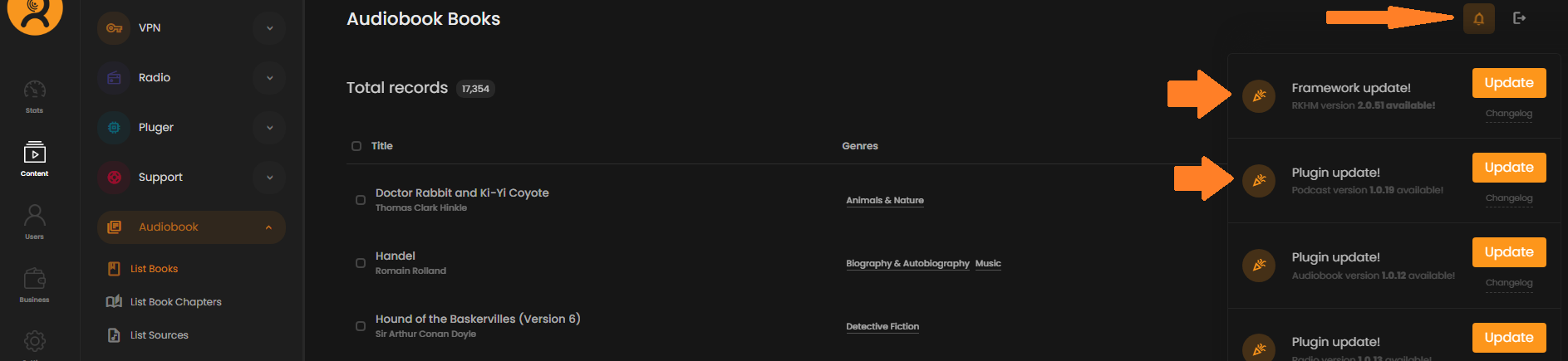
Script comes with a built-in self-updater which can be used to update script to latest version by just 1 click. Whenever there is a new update available, the notification bell will start to dance in navbar of admin-area just for root admin. Click on that button then click on update buttons
Extensions
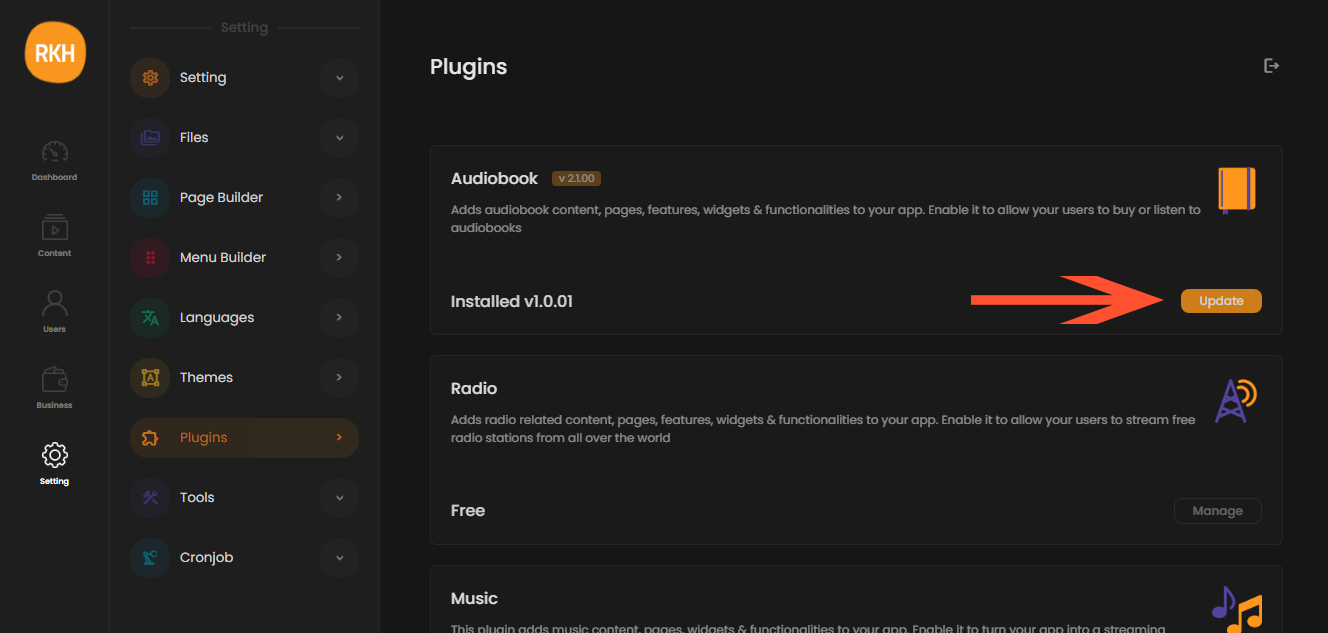
All extensions ( plugins, tools & themes ) can also be updated with just 1 click. Look for the Update button in related pages in admin-area
Manual
We don't recommend manual updating especially if you are not a programmer. If you are, you already know what to do but here is a quick step by step guide
Download these 2 files from your website ( containing database & certificate information ):
- path_to_rkhm/api/app/config_user.php
- path_to_rkhm/api/app/config_license.php
In root folder of RKHM, delete ✔ checked files & folders listed below:
Download latest version from Codecanyon, extract zip file, zip "script" folder's content, upload it to RKHM root directory and extract it
Re-upload config_user.php & config_license.php to your website. All files ( excluding plugins & themes ) are updated now
If you are not using a customized theme, remove "Themes" directory and re-upload from zip file you downloaded. There is no way to manually update plugins & tools ( yet )
Import "_raw.sql" from installer folder to a test database, use third-party tools to compare new database with the old one, find structural differences and make changes in old database according to changes